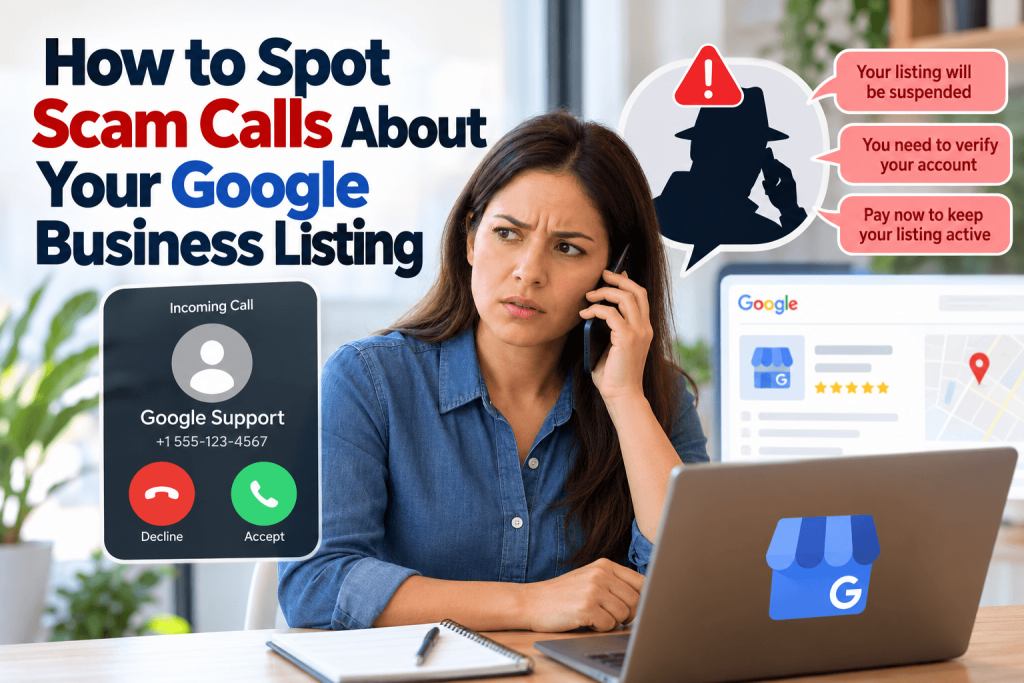
The owner of a small telecom installation company in Tampa gets a call from someone claiming to be “from Google.” The caller says the business listing will be deleted unless he pays a verification fee today. He almost gives his credit card number before deciding to hang up and check.
Calls like this are common. Scammers target small businesses with urgent claims about listings, rankings, and verification. Knowing how real platforms operate helps you avoid losing money or control of your profile.
What Legitimate Platforms Do and Do Not Do
Google Business Profile is free to create and manage. Google says it does not charge for listing your business and warns business owners about calls from people claiming to work for Google. Google may contact businesses in some situations, such as about advertising, but it does not threaten to remove free listings unless you pay.
The FTC has also warned about scammers who impersonate well-known companies and pressure small businesses into paying for listing or verification services. Any caller demanding immediate payment to keep your listing active deserves suspicion.
Warning Signs of a Scam Call
Watch for urgent threats, such as “Your listing will be suspended today,” requests for payment by gift card or wire transfer, and claims of guaranteed first-page rankings. Robocalls that ask you to press a number to “speak with a Google specialist” are another red flag.
Scammers may also ask for your account login or a verification code sent to your phone. Never share those details. With access, someone could change your listing, lock you out, or redirect calls to another business.
Protect Your Business and Your Team
Train anyone who answers your phones to recognize these calls. Tell them never to share login details, codes, or payment information with unsolicited callers. If someone claims to represent a platform, hang up and contact the platform through its official website.
Review your profile every few weeks for edits nobody on your team made. Telecom and technology businesses listed in the Communication and Technology category on Ace of the Web can share this guidance with clients who face the same calls. Keep your Ace of the Web listing and Google profile details current, so you notice quickly if anything changes without your approval.
Hang Up, Then Verify
Scam calls about business listings rely on urgency and fear. Google Business Profile is free, and legitimate platforms do not demand payment to keep a free listing. Train your team, protect logins and codes, verify through official channels, and check your profiles and listings like Ace of the Web for unexpected changes.
Frequently Asked Questions
Does Google charge to list my business?
No. Creating and managing a Google Business Profile is free. Google offers paid advertising products, but your free listing does not require payment. Be suspicious of anyone who says you must pay to keep or verify a Google listing. Keep receipts for any payments.
What should I do if I already paid a listing scammer?
Contact your bank or card company right away to dispute the charge. Change passwords for any accounts you shared, check your Business Profile for changes, and report the scam to the FTC at ReportFraud.ftc.gov. Keep records of the call. Report suspicious calls to the FTC.
How can I tell if a call is really from Google?
Google says it does not make calls threatening to remove free listings unless you pay. If you receive a suspicious call, hang up and contact Google through official support channels listed on its website. Never share verification codes with callers.
Can I stop robocalls about my business listing?
The National Do Not Call Registry is meant for personal numbers and does not cover most business-to-business calls, and scammers ignore it anyway. Call-blocking tools from your phone carrier can help. Report illegal robocalls to the FTC and the FCC.